| |
|
| |
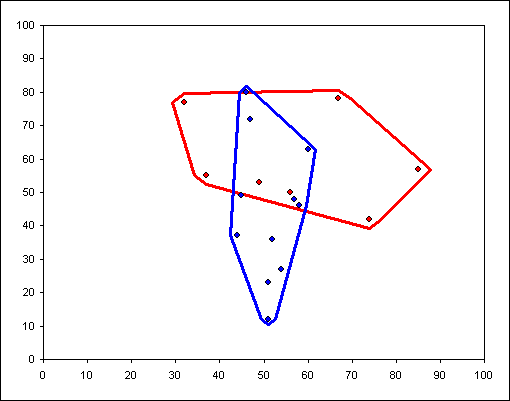
This is a
standard xy scatter chart. It has 2 data series plotted as
markers only. The VBA code will then calculate the bounding area
and output the necessary X and Y values in order to plot the
encapsulating lines.
|
| |
|
| |
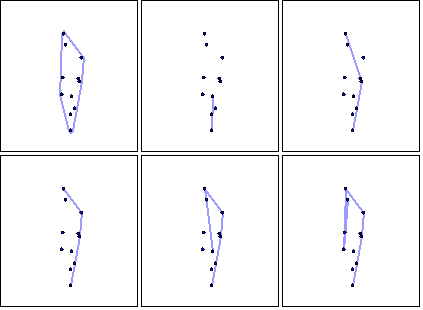
The technique for determining
the bounding line is one known as 'gift wrapping'.
The lowest x value point is
chosen as the starting point and the each other point is checked
to find the one that causes the smallest change in angle.
|
 |
| |
The
example workbook contains the relevant class code to produce
a set of bounding x and y values.
The animation property is purely for fun and demonstration.
There is also a property to
to control how tight the bounding line fits the points.
The example above is not a tight fit as the bounding lines are
not touching the points.
|

 AJP Excel Information