AJP Excel Information

Charts


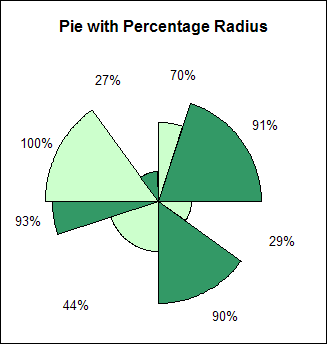
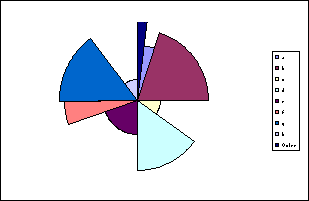
Pie chart with individual slice radius

Chart is a filled radar chart with multiple series.
 
Below is the chart data. In the range B2:B9 is the value of each slice within the pie.
The range C2:C9 is the percentage radius for each slice.
Values in J1:Q4 are derived from formula in order to calculate the angles and length of each slice.
 
 
A B C D E F G H I J K L M N O P Q
1 Slice Value Slice % % Value 0.702893488 0.908775735 0.294791895 0.903831326 0.43898482 0.934085161 1 0.268068474
2 a 1 70% % of 360° 0.05 0.2 0.1 0.15 0.2 0.05 0.15 0.1
3 b 4 91% Start Angle 0 18 90 126 180 252 270 324
4 c 2 29% Finish Angle 18 90 126 180 252 270 324 360
5 d 3 90% Category Names a b c d e f g h
6 e 4 44% Angles 0 0.702893488 0 0 0 0 0 0 0
7 f 1 93% 1 0.702893488 0 0 0 0 0 0 0
8 g 3 100% 2 0.702893488 0 0 0 0 0 0 0
9 h 2 27% 3 0.702893488 0 0 0 0 0 0 0
 
   
Here are some of the formula
H I J K L
1 % Value =C2 =C3 =C4
2 % of 360° =B2/SUM($B$2:$B$9) =B3/SUM($B$2:$B$9) =B4/SUM($B$2:$B$9)
3 Start Angle =360*SUM($I$2:I2) =360*SUM($I$2:J2) =360*SUM($I$2:K2)
4 Finish Angle =360*SUM($J$2:J2) =360*SUM($J$2:K2) =360*SUM($J$2:L2)
5 Category Names =A2 =A3 =A4
6 Angles 0 =IF(AND($I6>=J$3,$I6<=J$4),J$1,0) =IF(AND($I6>=K$3,$I6<=K$4),K$1,0) =IF(AND($I6>=L$3,$I6<=L$4),L$1,0)
7 1 =IF(AND($I7>=J$3,$I7<=J$4),J$1,0) =IF(AND($I7>=K$3,$I7<=K$4),K$1,0) =IF(AND($I7>=L$3,$I7<=L$4),L$1,0)
8 2 =IF(AND($I8>=J$3,$I8<=J$4),J$1,0) =IF(AND($I8>=K$3,$I8<=K$4),K$1,0) =IF(AND($I8>=L$3,$I8<=L$4),L$1,0)
9 3 =IF(AND($I9>=J$3,$I9<=J$4),J$1,0) =IF(AND($I9>=K$3,$I9<=K$4),K$1,0) =IF(AND($I9>=L$3,$I9<=L$4),L$1,0)
 
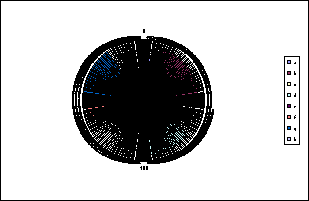
Create a standard Filled Radar chart from the data in range I5:Q366 
   
 
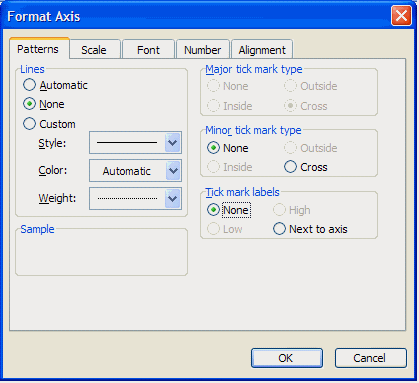
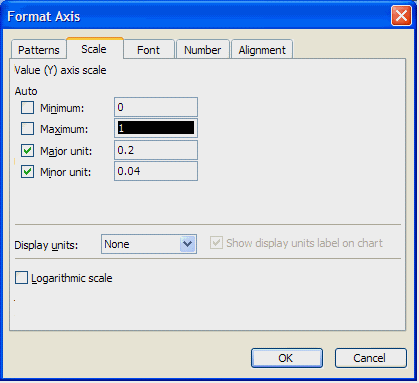
Format the Value axis to remove lines and tick mark labels.
Set the Minimum value to 0 and the Maximum value to 1.
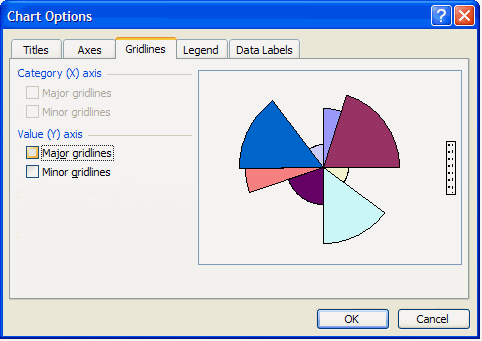
Use the Chart Options dialog to clear Major gridlines.
Finally select and clear the Category labels.


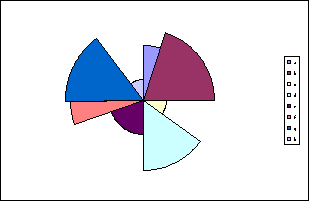
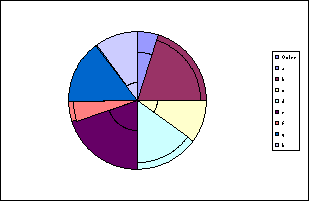
If you want to display the slices then you need to add another series and plot it on the secondary axis. Add the range A1:B9 to the chart
   
 
Select the new series and change the chart type to Pie 
   
 
Example workbook with data and formula 


Last updated 28th April 2007


  Home | Charts | VBA Code | Fun Stuff
Newsgroups | Tips | Links | What's New | Book List
Contact | About
Microsoft® and Microsoft® Excel are registered trademarks of the Microsoft Corporation.
andypope.info is not associated with Microsoft. Copyright ©2007 Andy Pope