AJP Excel Information

Charts


Installing Add-Ins 2007

 
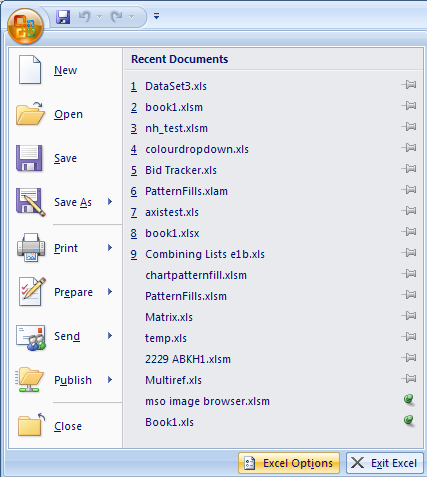
To install an Add-In in Excel 2007 you need to click the Office button and press the Excel Options button.
 
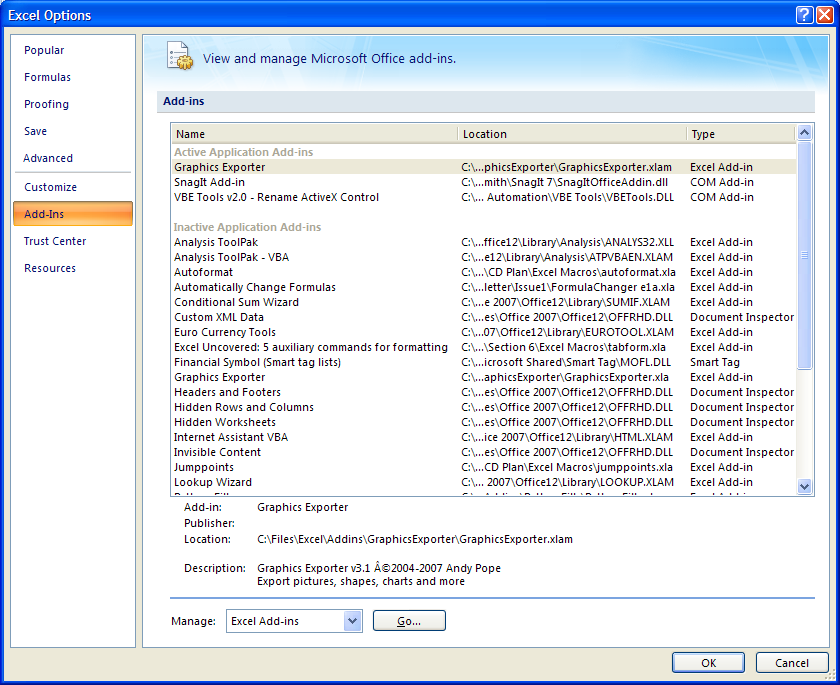
From the options dialog select the Add-In section. Select Excel-Add-ins from the Manage drop list and then press the Go... button
 
 
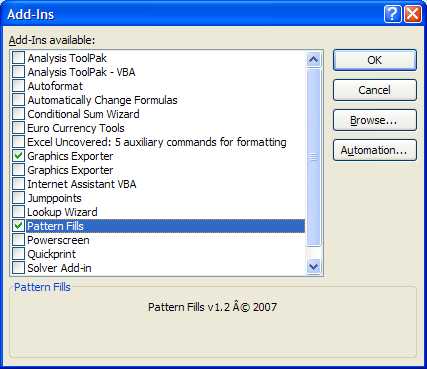
From the Add-Ins dialog you can use the browse button to locate the add-in you wish to install.


To uninstall an add-in simply uncheck the appropriate add-in within the list.



Excel tip
   

Last updated 6th October 2007


  Home | Charts | VBA Code | Fun Stuff
Newsgroups | Tips | Links | What's New | Book List
Contact | About
Microsoft® and Microsoft® Excel are registered trademarks of the Microsoft Corporation.
andypope.info is not associated with Microsoft. Copyright ©2007 Andy Pope